Your second brain, built into your daily workspace
FloHub notes are rich text, searchable, taggable, and AI-enhanced. Write freely, organize effortlessly, and find anything in seconds — all without leaving the app where your tasks and calendar live.
Free forever on the web · apps free for 30 days
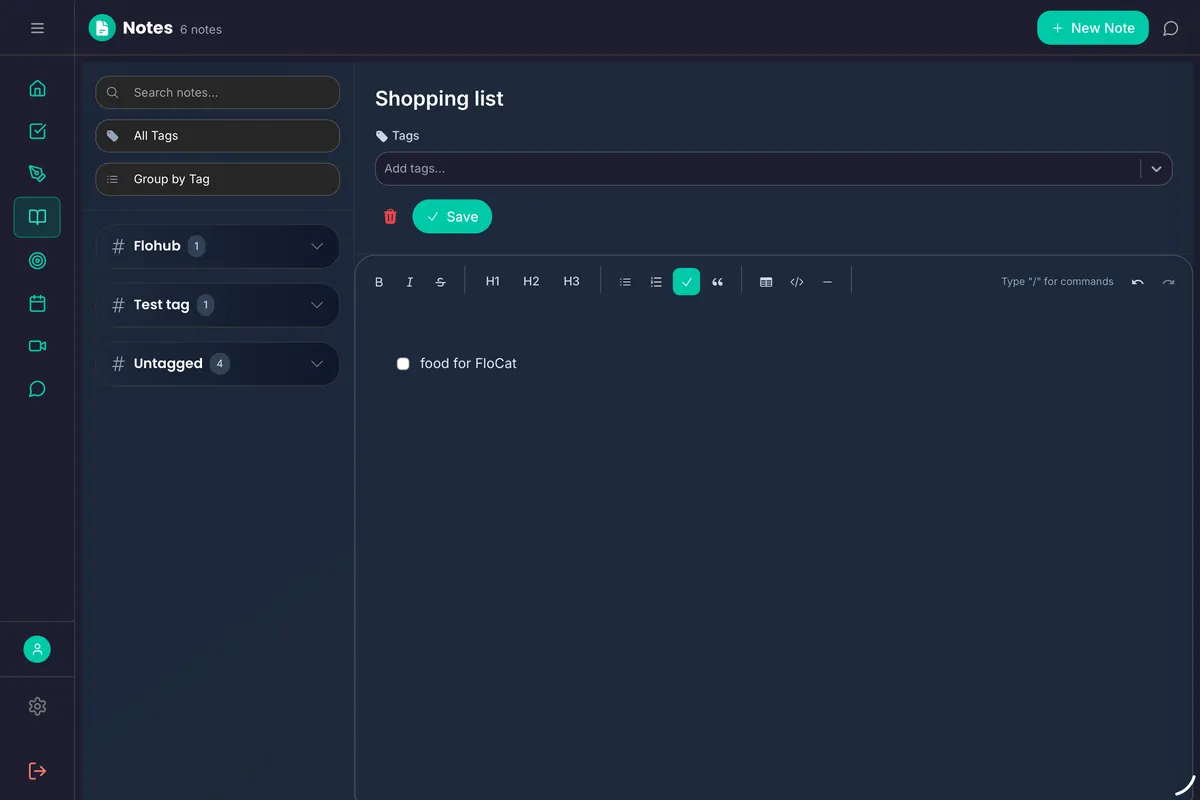
Everything you need, nothing you don't.
Rich Text Editor
Write with headings, lists, bold, links, and more. The editor stays out of your way so you can focus on the content.
Tags & Labels
Tag notes by topic, project, or context. Tags work across your entire workspace — the same tags you use on tasks also work in notes.
Groups & Organization
Organize notes into groups by project, area, or whatever structure makes sense for you. Flexible enough to match any mental model.
Instant Full-Text Search
Find any note, any phrase, any idea in milliseconds. FloHub searches across titles, content, and tags so nothing stays buried.
AI Note Enhancement
Ask FloCat to summarize a long note, expand a short one, extract key points, or help you restructure scattered thoughts into clear writing.
Meeting & Project Notes
Notes can be linked to calendar events and projects, giving context without duplication. Your meeting notes and general notes share the same powerful workspace.
Capture ideas the moment they happen — only in the app.
Everything on the web stays free. The apps add the things a browser can't do:
- Share sheet captureSend text, links and snippets from any app straight into a note.
- “Hey Siri, create a note”Dictate notes with Siri and Shortcuts.
- Quick Capture anywhereTrigger Quick Capture from Shortcuts, the Action Button or a Home Screen long-press.
- Enhanced offline supportKeep writing on a plane or a patchy train; it syncs when you're back.

30-day free trial

Why notes work better inside FloHub
No more app switching for context
When your notes live in Notion or Obsidian, you constantly switch between your task app, calendar, and note app. FloHub keeps all three in one workspace — so the context is always nearby.
AI that helps you think, not just store
FloCat can summarize a note you wrote last month, expand a rough idea into a full plan, or pull key action items from a wall of text. Your notes become active, not archival.
Tags that work everywhere
The same tag system powers tasks, notes, habits, and meeting notes in FloHub. Search for #project-x and see every task, note, and meeting linked to that project at once.
Fast enough for quick captures
A good note app needs to be fast to open, fast to type in, and fast to search. FloHub is optimized for quick capture — so you actually use it when ideas strike.
Built for real workflows
For project documentation
Keep project context, decisions, and reference material in tagged notes. Link related tasks to the project note so everything stays connected.
For idea capture
Capture ideas as they come, tag them loosely, and let FloCat help you develop the best ones into action plans when you have time.
For learning notes
Take notes while reading, watching courses, or attending conferences. Tag by topic and use FloCat to synthesize insights across multiple notes.

Capture your first note today
Free forever on the web. In the iPhone & Android apps, capture from the share sheet, Siri or Quick Capture — free for 30 days.
30-day free trial